jl-tikz-cad
JL TikZ CAD ⚡
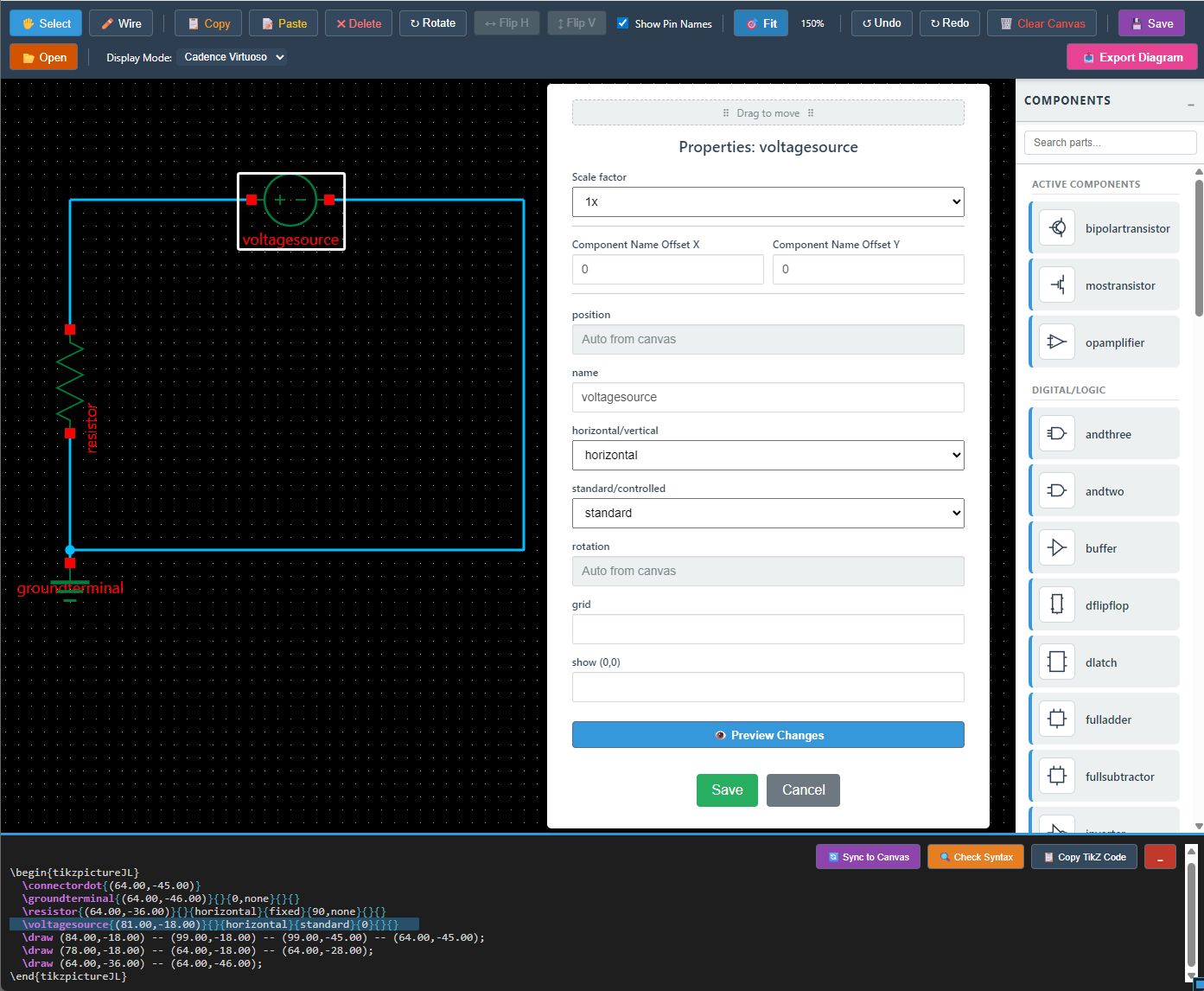
A complete, native web-based CAD ecosystem for designing electronic circuits and generating professional LaTeX (TikZ) code for academic and engineering publications.
Built with JointJS and KaTeX, it bridges the gap between visual schematic design and rigorous academic typesetting.
📂 Project Ecosystem
This repository is organized into three main functional pillars:
- Circuit Designer (Live App): The main web-based CAD tool. Features drag-and-drop mechanics, smart wire routing, and a dynamic property editor.
- Developer Tools: The
component_symbol_builder.htmlvisual IDE. Used to sketch new SVG components, define logical rules, and generate TikZ macros & database metadata without manually writing coordinate math. - Automation Suite: Python scripts (
build_db.py,compile_sty.py) that act as the bridge. They read your.styLaTeX files, parse the custom metadata, and generate the JavaScript database for the web app.
✨ Core Features & Innovations
📐 Native CAD Geometry & Grid
- Absolute TikZ Snapping: The canvas uses a strict 40px grid which perfectly translates to 1 TikZ unit. Components snap based on their true mathematical
(0,0)origin, not their visual bounding box. - Robust Transformations: Rotate and flip components (Horizontal/Vertical) on the fly. The engine recalculates the anchor points and LaTeX offsets dynamically.
🧮 Dynamic Math & Labels (KaTeX)
- Live Equation Rendering: Component names and dynamic terminal values (e.g.,
$V_{in}$,-$V_{EE}$) are instantly rendered on the canvas using KaTeX. - Auto-Bold Formatting: Math equations are automatically wrapped in
\boldsymbol{}to match the visual weight of standard CAD labels. - Smart Pins vs. Labels: The engine automatically differentiates between physical connection ports (wires snap to them) and floating dynamic text labels based on variable naming (e.g.,
$4).
🔄 Bi-directional Sync
- Modify the generated LaTeX code in the output panel and click Sync to Canvas. The system parses the raw TikZ commands, reconstructs the arguments, and updates the graphical canvas instantly.
🎨 Professional Theming & Export
- Dynamic Themes: Switch instantly between the clean Standard mode and the dark-mode Cadence Virtuoso engineering theme.
- Advanced Export: Export your circuits as pristine Vector SVGs (with visual filters for grid, names, and monochrome) or directly as standalone
.texfiles ready for compilation.
🚀 Quick Start
- Open
index.htmlin any modern browser. - Drag components from the categorized palette to the workspace.
- Double-click any component to edit its macro arguments and scale.
- Use the LaTeX Export panel to copy your code or download the standalone
.texdocument.